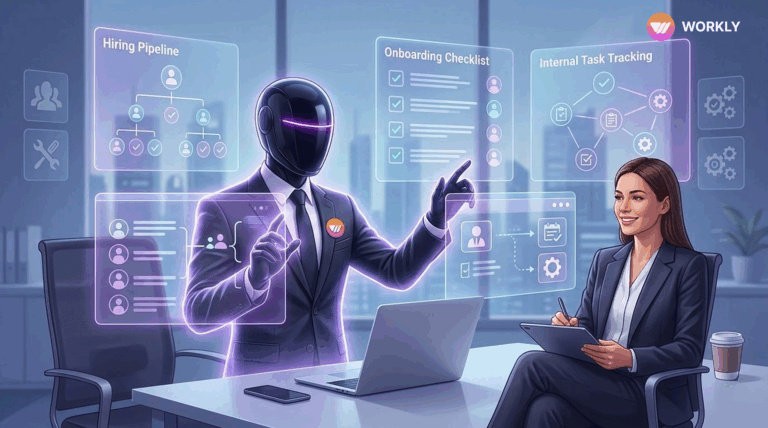
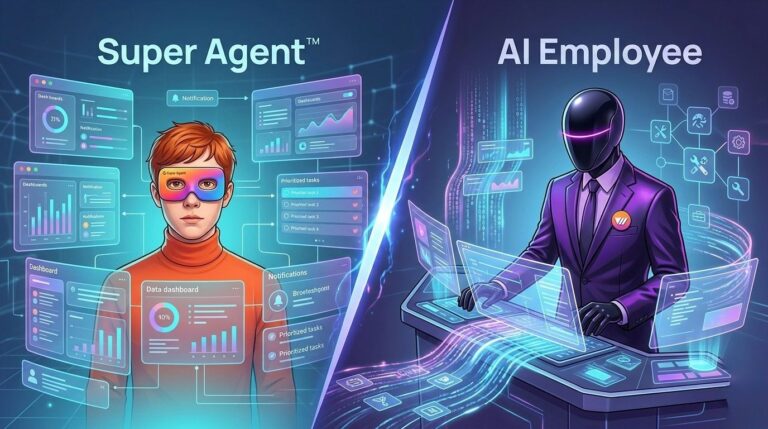
Teams don’t struggle with communication anymore, they struggle with execution. Slack keeps conversations flowing, but Workly turns them into completed work with AI-driven execution.

You Don’t Have a Tool Problem
Team communication tools have become a core part of how modern organizations operate. Slack has led this space by making communication fast, organized, and accessible across teams.
However, as teams grow and workflows become more complex, communication alone is no longer enough. Many teams are not struggling to talk. They are struggling to get work completed.
Slack helps you talk about work, Workly AI gets the work done.
This is where the comparison between Workly and Slack becomes relevant. The shift is no longer just about communication versus execution. It is about moving from execution to automation with the help of AI Employees.
Slack’s Strength in Communication
Slack is designed to simplify workplace communication. It allows teams to create channels, exchange messages in real time, and integrate multiple tools into one platform.
This makes it highly effective for collaboration. Teams can quickly share updates, discuss ideas, and stay aligned without delays.
Slack also supports automation through bots. These bots can send reminders, notify users about updates, and trigger predefined workflows. For example, a bot can alert a team when a task is overdue or when a new update is available.
These features make Slack a strong communication platform.
The Execution Gap in Slack
Despite its strengths, Slack operates primarily as a communication layer. As conversations increase, important information often gets buried in threads. Tasks discussed in chats are not automatically tracked or executed.
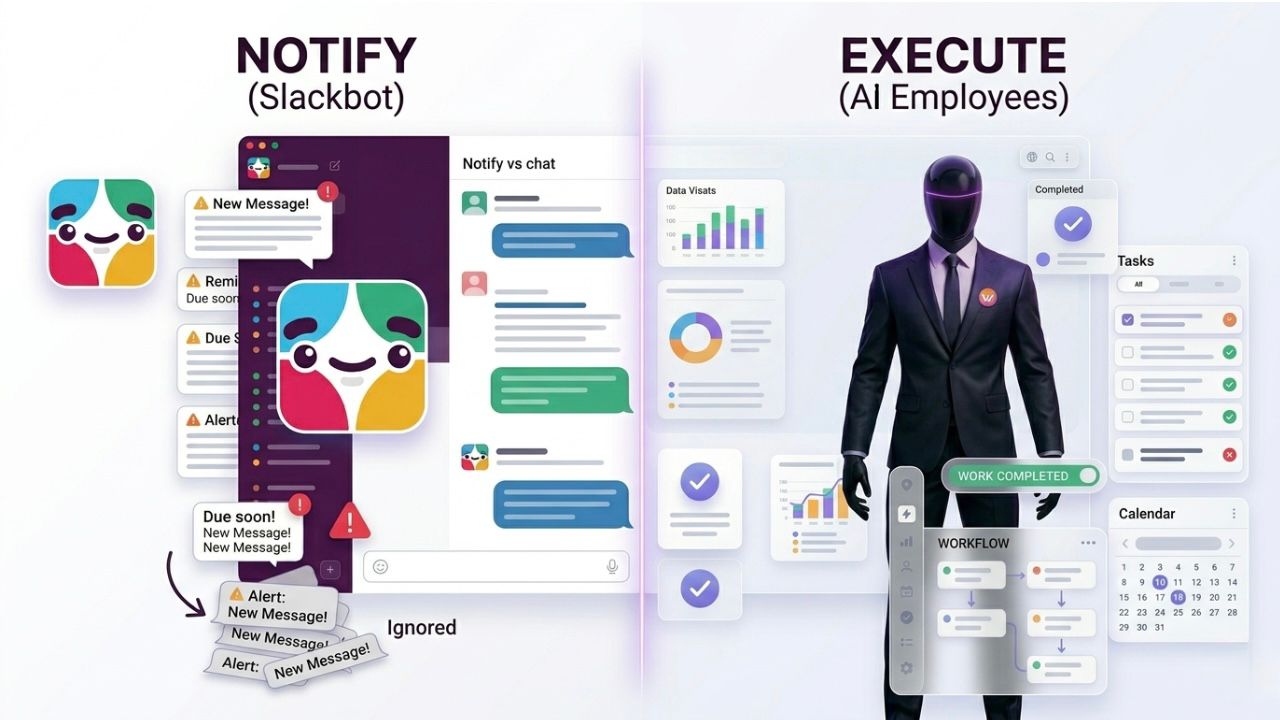
Even with Slackbots, the platform depends on users to take action. Bots can notify and remind, but they cannot complete tasks.
This creates an execution gap. Teams spend time discussing work, but additional effort is required to convert those discussions into completed outcomes. This often leads to missed tasks, repeated follow-ups, and delays.
Workly’s Execution First Approach
Workly is built to eliminate this gap. Instead of stopping at communication, it connects conversations directly to workflows. Tasks are created, assigned, and tracked within the same system.
This reduces the need for multiple tools and ensures that work moves forward without relying on constant follow-ups.
Workly focuses on outcomes rather than just conversations. It ensures that every discussion leads to measurable progress.
AI Employees: The Real Difference
The biggest difference between Workly and Slack comes from Workly AI Employees.
Slackbots are rule-based. They respond to triggers and perform limited actions such as sending notifications or updating statuses. They assist teams, but they do not take ownership of work.
Workly AI Employees go much further. They are designed to execute tasks. They can understand context, perform actions across tools, and complete workflows with minimal human intervention.
For example, instead of sending a reminder to update a report, an AI Employee can gather the required data, update the report, and notify stakeholders once it is completed.
This changes the role of technology from supporting work to actually doing work.
Capability | Slackbots | Workly AI Employees |
Send notifications | ✔ | ✔ |
Trigger workflows | ✔ | ✔ |
Understand context | ⚠️ Limited | ✔ |
Take ownership of tasks | ❌ | ✔ |
Execute work | ❌ | ✔ |
Reduce human dependency | ❌ | ✔ |
Slackbots vs Workly AI Employees
The difference between Slackbots and Workly AI Employees highlights the shift in how work is managed.
Slackbots help teams stay informed. They depend on predefined rules and require human input to move tasks forward.
Workly AI Employees operate with context. They can take ownership of tasks and execute them from start to finish within defined boundaries.
This reduces manual effort and removes the dependency on constant follow-ups.
Why Workly AI Employees Go Beyond Slackbots and Actually Get Work Done
- Slackbots stop at notifications, Workly AI Employees complete the work
Slackbots are designed to send reminders, alerts, and updates based on predefined triggers. They inform teams but do not take action. Workly AI Employees go a step further by actually executing tasks, ensuring work gets completed instead of just being discussed. - Rule-based vs context-driven execution
Slackbots operate on fixed rules. If something falls outside those rules, they cannot adapt. Workly AI Employees understand context, which allows them to handle dynamic tasks, changing requirements, and multi-step workflows without constant human input. - Dependence on humans vs reduced manual effort
With Slackbots, every notification still requires someone to act. Teams need to follow up, assign tasks, and track progress manually. Workly AI Employees reduce this dependency by taking ownership of tasks and moving them forward automatically. - Fragmented workflows vs end-to-end execution
Slackbots often require integration with multiple tools, leading to fragmented workflows. Workly AI Employees can operate across systems and complete tasks from start to finish, reducing the need to switch between platforms. - Reminders vs results
Slackbots are effective at reminding teams what needs to be done. However, reminders do not guarantee completion. Workly AI Employees focus on outcomes by ensuring that tasks are actually finished within the defined workflow. - Limited capability vs scalable execution
As workflows grow more complex, Slackbots struggle to keep up without additional configuration. Workly AI Employees scale with the complexity of work, handling repetitive and operational tasks efficiently without increasing manual effort. - Coordination tool vs execution engine
Slackbots act as coordination tools that help teams stay aligned. Workly AI Employees function as execution engines that actively contribute to completing work, shifting the focus from managing tasks to achieving results. - Awareness vs action
Slackbots improve awareness by keeping teams informed. Workly AI Employees convert that awareness into action, ensuring that discussions and updates directly lead to measurable progress.
In essence, Slackbots help teams know what needs to be done, while Workly AI Employees ensure that it actually gets done.
Conclusion
The comparison between Workly and Slack reflects a broader shift in how teams work. Communication is no longer the main challenge. Execution is.
Slack helps teams communicate efficiently, but it depends on users to complete tasks. Workly connects communication with execution and goes further with AI Employees that can complete work independently.
As work becomes more complex, the ability to move from conversation to completion without friction will define productivity. Workly addresses this need by combining workflow management with AI driven execution, making it a stronger solution for modern teams.
FAQs
How is Workly better than Slack?
Workly goes beyond communication by focusing on execution. While Slack helps teams communicate, Workly ensures that conversations turn into completed tasks within the same platform.
Why do tasks get missed in Slack but not in Workly?
In Slack, tasks are often buried in chats and require manual tracking. Workly converts discussions into structured tasks, making them visible, trackable, and easier to complete.
How are Workly AI Employees more effective than Slack bots?
Slack bots can send reminders and notifications, but they cannot complete tasks. Workly AI Employees can take ownership of work and execute tasks automatically.
Does Workly reduce the need for multiple tools compared to Slack?
Yes, Workly combines communication, task management, and execution in one system, reducing the need to switch between different tools.
Why is Workly better for growing teams than Slack?
As teams grow, Slack conversations increase and become harder to manage. Workly focuses on outcomes, helping teams scale efficiently by ensuring work gets completed without constant follow-ups.
AI-First Collaborative OS
Stop managing tools. Start running work.


Rachel Nguyen!
Technical writer with a UX writing edge for enterprise products. Builds onboarding, contextual help, and knowledge bases that cut support tickets.