Most software teams don’t fail because of bad code; they fail because tracking breaks down. When updates are manual and visibility is low, delays become inevitable and execution slows.

Why Project Tracking Still Fails in Modern Dev Teams
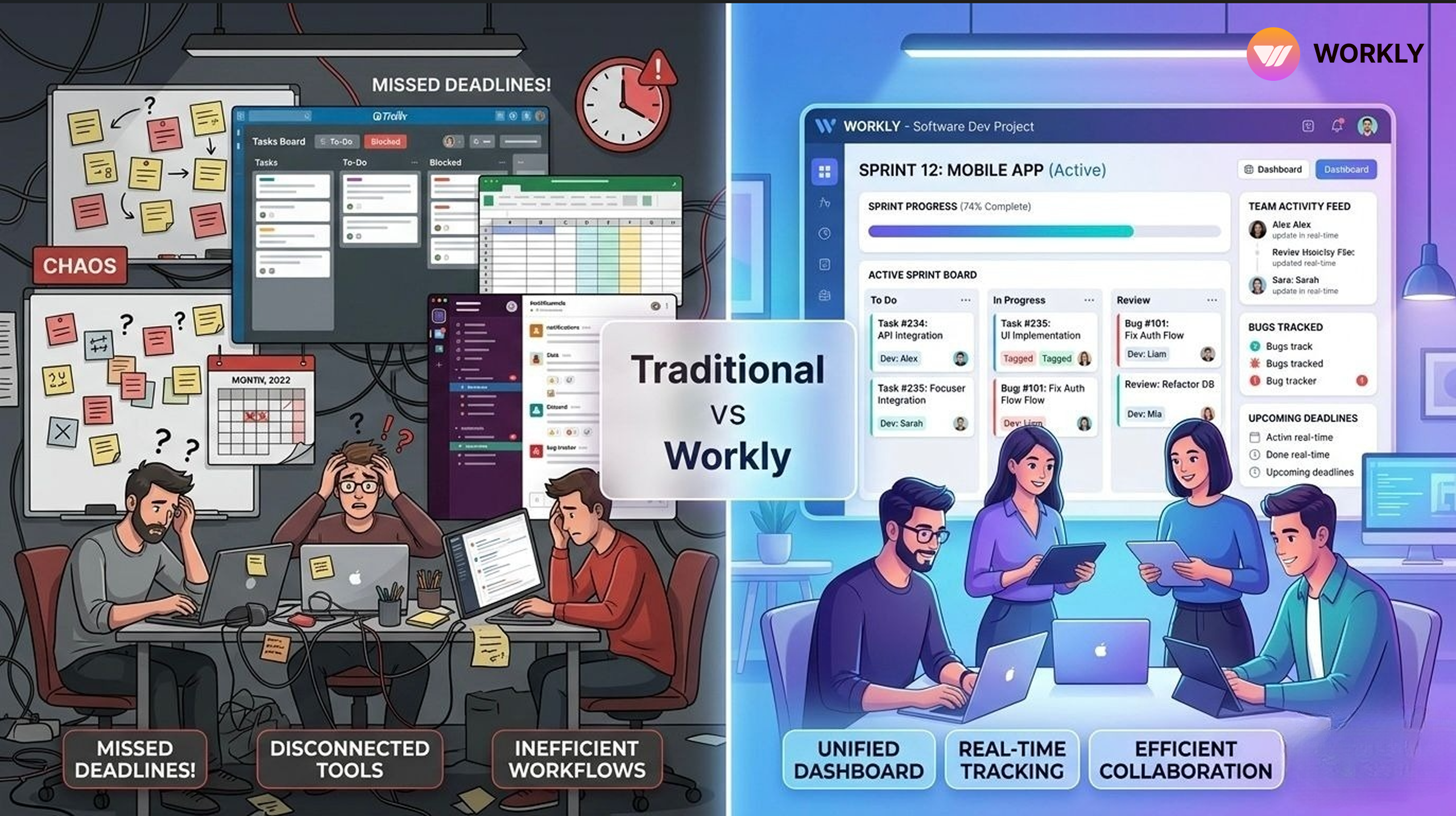
Software development teams today use multiple tools for planning, coding, testing, and deployment. On paper, everything looks structured—sprints are planned, tasks are assigned, and timelines are defined. Yet, projects still get delayed, tasks slip through the cracks, and teams struggle to stay aligned.
Manual tracking slows down fast-moving dev teams.
The Breakdown of Execution in Growing Startups
The problem is not the lack of tools. It is the lack of clarity and real-time visibility across the workflow.
Traditional project tracking tools depend heavily on manual updates. Developers have to constantly update task statuses, managers have to follow up for progress, and important context often gets lost in chats or comments. This creates friction and slows down execution.
This is where Workly changes the way software teams track projects.
A Single Source of Truth for All Work
Workly simplifies project tracking by bringing everything into one unified workspace. Instead of switching between tools for tasks, updates, and communication, teams get a central system where all work is visible and connected.
Every task, sprint, and update is automatically tracked in real time. This eliminates confusion about what is in progress, what is blocked, and what is completed.
For software teams, this means:
- Clear sprint visibility
- Better tracking of development cycles
- No dependency on manual reporting
Workly ensures that everyone—from developers to project managers—works with the same data at all times.
Just Command, Your AI Employee Codes the Rest
What if writing code was as simple as giving instructions? With Workly’s AI Employee, developers no longer need to spend hours on repetitive coding tasks. You simply give a clear command, and the AI Employee steps in to generate code, suggest implementations, and even handle parts of execution.
It understands the context of your tasks and works alongside your workflow, turning ideas into functional output instantly. This doesn’t replace developers, it amplifies them. Instead of getting stuck in routine work, teams can focus on problem-solving and innovation while the AI takes care of the heavy lifting, making development faster, smarter, and far more efficient.
Real-Time Tracking Without Manual Updates
One of the biggest challenges in project tracking is keeping data updated. In most tools, progress depends on developers manually changing task statuses.
Workly removes this dependency.
It automatically tracks progress based on actual work activity. Whether it is task movement, updates, or workflow changes, everything is captured in real time. This ensures that project dashboards always reflect the current state of work.
As a result, managers no longer need to chase updates, and developers can focus on building instead of reporting.
Smarter Sprint Management
Sprint planning and tracking are critical for software development teams. However, managing sprints across multiple tools often leads to inefficiencies.
Workly simplifies sprint management by integrating planning and execution into one system. Teams can:
- Plan sprints with clear timelines
- Assign tasks with full context
- Track sprint progress live
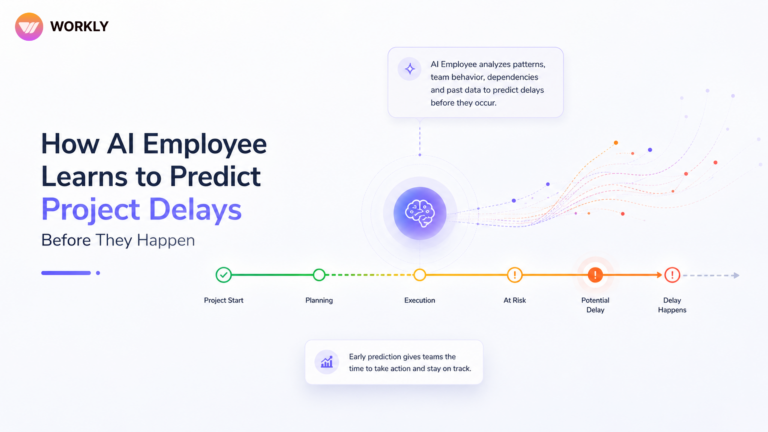
Workly also highlights delays, bottlenecks, and dependencies automatically. This helps teams take action early instead of reacting at the last minute.
The result is more predictable sprint outcomes and better delivery timelines.
Improved Collaboration Across Teams
Project tracking is not just about tasks—it is also about communication. In many teams, discussions happen in separate tools, making it hard to connect conversations with actual work.
Workly solves this by linking communication directly with tasks and workflows.
Every update, discussion, or decision stays attached to the relevant task. This ensures that:
- Context is never lost.
- Team members can quickly understand task history.
- New team members can onboard faster.
For development teams working across functions like QA, design, and DevOps, this level of clarity is essential.
Clear Visibility Into Bottlenecks and Dependencies
Delays in software projects often happen due to hidden bottlenecks or unclear dependencies. Traditional tools make it hard to identify these issues early.
Workly provides complete visibility into dependencies and blockers. It automatically flags tasks that are stuck or delayed and shows how they impact the overall project timeline.
This allows teams to:
- Identify risks early
- Prioritize critical tasks
- Reduce delays in delivery
With better visibility, teams can make faster and more informed decisions.
Built for Speed and Execution
Software development teams need tools that move as fast as they do. Complex dashboards and heavy workflows often slow teams down instead of helping them.
Workly is designed for speed and simplicity. Its interface is easy to use, and workflows are optimized for real execution. Teams can quickly update tasks, track progress, and collaborate without unnecessary steps.
This leads to:
- Faster task completion
- Reduced operational overhead
- Higher team productivity
Meet Your AI Employee: The Developer Who Tracks Everything (So Your Team Doesn’t Have To)
- Auto-tracks every task in real time—no more manual status updates or chasing developers for progress.
- Understands sprint movement – automatically reflects what’s in progress, completed, or delayed.
- Spots blockers instantly – identifies stuck tasks and dependencies before they impact delivery.
- Keeps everyone aligned – Syncs updates across the team without extra meetings or follow-ups.
- Removes reporting overhead – Developers focus on coding while the AI handles tracking.
- Acts like a silent project manager – always monitoring, updating, and optimizing workflow in the background.
The Impact on Software Development Teams
When project tracking becomes simple and reliable, the entire development process improves. Teams spend less time managing work and more time doing meaningful work.
With Workly, software teams get:
- Accurate real-time tracking
- Better sprint execution
- Stronger team alignment
- Faster delivery cycles
Conclusion
Project tracking should not be a manual, time-consuming process. It should be seamless, automated, and aligned with how teams actually work.
Workly simplifies project tracking by removing friction, improving visibility, and enabling real-time collaboration. For software development teams looking to deliver faster and more efficiently, it provides a smarter and more practical way to manage projects.
FAQS
How does Workly improve project tracking for software development teams?
Workly improves project tracking by providing real-time visibility into tasks, sprints, and workflows. It automatically updates progress based on actual work activity, reducing the need for manual status updates and ensuring that teams always have accurate information.
Can Workly be used for sprint planning and management?
Yes, Workly supports complete sprint management. Teams can plan sprints, assign tasks, track progress, and identify delays or bottlenecks in real time, making sprint execution more predictable and efficient.
How is Workly different from traditional project management tools?
Unlike traditional tools that depend on manual updates, Workly tracks work automatically and connects tasks, communication, and progress in one place. This eliminates data gaps and improves overall team alignment.
Does Workly help in identifying project delays and blockers?
Yes, Workly provides clear visibility into dependencies and automatically highlights blocked or delayed tasks. This helps teams take early action and avoid last-minute issues in project delivery.
Is Workly suitable for cross-functional development teams?
Workly is designed for teams that include developers, QA, designers, and DevOps. It keeps all communication and task updates in one place, ensuring smooth collaboration across different functions.
AI-First Collaborative OS
Stop managing tools. Start running work.


Rachel Nguyen!
Technical writer with a UX writing edge for enterprise products. Builds onboarding, contextual help, and knowledge bases that cut support tickets.