Turn your AI Employee into a powerful personal assistant that manages, executes, and thinks for you

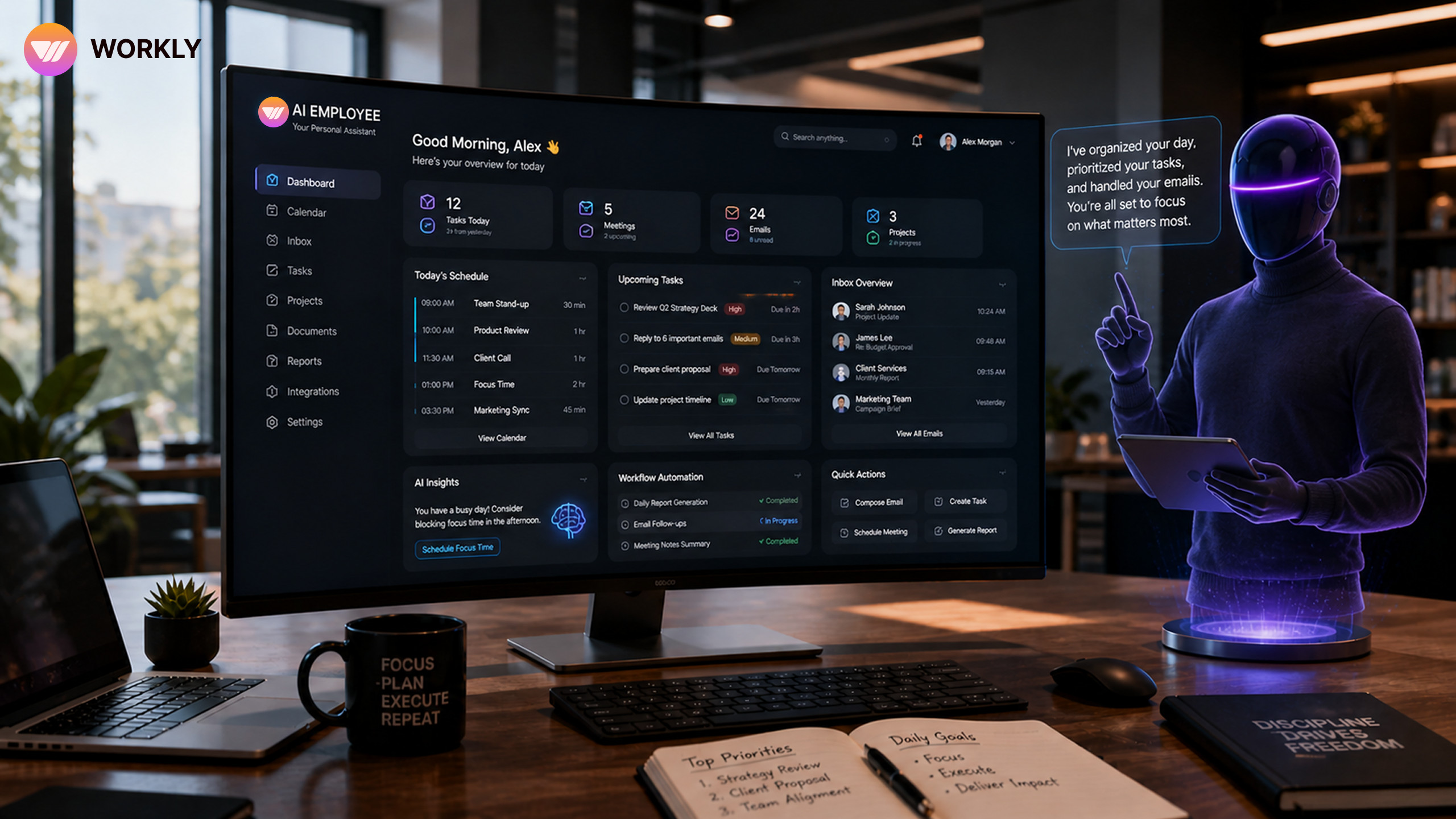
The Shift: From Doing Everything Yourself to Delegating Intelligently
Most professionals today are not short on ambition — they’re short on bandwidth. Your day gets consumed by emails, scheduling, follow-ups, research, and constant context switching. The real problem isn’t lack of effort — it’s that too much of your time is spent on low-leverage work.
This is where an AI Employee changes the equation completely.
Instead of acting like a passive tool that waits for instructions, it behaves like a proactive personal assistant that understands your workflow and takes ownership of execution. It doesn’t just help you get things done — it removes the need for you to do them in the first place.
The shift is simple but powerful:
You move from being the operator of tasks to the director of outcomes.
Make AI your personal assistant today
What Makes an AI Employee a True Personal Assistant
The difference between a basic assistant and an AI Employee is not capability — it’s behavior.
A typical assistant responds when asked.
An AI Employee anticipates, executes, and improves continuously.
It understands your context — your priorities, your communication style, your ongoing work — and uses that understanding to take action without constant input. This means fewer instructions, fewer corrections, and far less mental load on you.
It also connects across your tools — your email, calendar, task manager, and workflows — allowing it to operate as a central execution layer instead of a disconnected helper.
What you get is not just support.
You get continuity, consistency, and control without effort
Setting the Foundation: Context Is Everything
To make your AI Employee truly effective, you need to start by giving it clarity.
This is not about “training” it — it’s about aligning it with how you work. When you share your role, responsibilities, priorities, and preferences, you are essentially giving it a blueprint of how decisions should be made.
The more context it has, the better it performs.
It begins to:
- Understand what matters most to you
- Adapt to your tone and communication style
- Prioritize tasks the way you would
- Make decisions that feel natural and aligned
This step is critical because it transforms the AI from a generic system into a personalized execution partner.
Taking Full Control of Your Schedule Without Managing It
Scheduling is one of the most underestimated time drains. The back-and-forth emails, checking availability, handling conflicts — it all adds up.
An AI Employee removes this friction entirely.
It manages your calendar dynamically — scheduling meetings, adjusting conflicts, blocking focus time, and sending reminders — all without you having to intervene. It understands when you prefer deep work, when you’re available, and how your day should flow.
The real benefit isn’t just efficiency.
It’s mental clarity.
You no longer think about “when to schedule.”
You simply move through your day, knowing it’s already optimized.
Turning Your Inbox from Chaos into Control
Email overload is one of the biggest productivity killers. Important messages get buried, follow-ups get missed, and time gets wasted reading and replying.
Your AI Employee transforms your inbox into a structured system.
It summarizes long threads, drafts replies in your tone, filters out noise, and highlights what truly needs your attention. It can even send follow-ups automatically, ensuring nothing slips through the cracks.
Instead of constantly checking emails, you:
- Review only what matters
- Approve or edit responses quickly
- Stay in control without being overwhelmed
This turns your inbox from a reactive space into a controlled workflow system.
Task Management That Actually Works (Without Micromanaging)
Managing tasks manually often leads to missed deadlines, scattered priorities, and constant reminders.
An AI Employee changes this by turning conversations into action.
It automatically:
- Creates tasks based on your discussions
- Tracks deadlines and dependencies
- Sends smart reminders at the right time
- Highlights blockers before they become problems
You don’t have to remember everything.
You don’t have to track everything.
You simply stay focused on execution while the system ensures nothing is missed.
Your Built-In Research Analyst (Without Information Overload)
Research is necessary, but it’s also time-consuming and often overwhelming. You open multiple tabs, read through content, and still struggle to extract clear insights.
An AI Employee simplifies this completely.
It gathers information, filters out noise, and delivers concise, structured insights tailored to your needs. Whether it’s market research, competitor analysis, or quick summaries, it gives you exactly what you need — without the clutter.
The value here is not just speed.
It’s clarity.
You make better decisions because you’re working with refined information, not raw data
The Compounding Effect: It Gets Better Over Time
Unlike traditional systems, an AI Employee improves continuously.
As you use it more, it learns:
- Your preferences
- Your priorities
- Your decision patterns
- Your communication style
Over time, it starts anticipating your needs before you even express them. It surfaces relevant information, suggests actions, and operates with increasing independence.
What starts as an assistant becomes an extension of how you think and work.
Who Gains the Most from This Shift
While anyone can benefit, the impact is highest for those dealing with complexity and scale.
Business leaders can delegate operations and focus on strategy. Entrepreneurs can run lean without hiring large teams. Sales professionals can maintain consistent follow-ups. Consultants can research, draft, and deliver faster.
But beyond roles, the real beneficiaries are people who value their time and want to operate at a higher level.
Final Takeaway
An AI Employee is not about doing more tasks faster.
It’s about removing tasks from your plate entirely.
When used correctly, it becomes your:
- Scheduler
- Communicator
- Researcher
- Executor
All working together, seamlessly.
“The future belongs to those who don’t just work harder —
but build systems that work for them.”
FAQ’S
How is an AI Employee different from tools like virtual assistants?
Unlike basic assistants that respond to commands, an AI Employee operates proactively. It understands context, executes tasks end-to-end, and continuously improves based on your behavior. It’s not just helping — it’s taking ownership of workflows.
Can an AI Employee really manage my daily schedule effectively?
Yes. It can handle meeting scheduling, resolve conflicts, block focus time, and send reminders automatically. Over time, it learns your preferences and optimizes your calendar without constant input
Is it safe to let an AI Employee handle emails and sensitive data?
Most AI systems are built with strong security and privacy layers. You stay in control with approvals and permissions, ensuring sensitive communication is handled responsibly.
How much time can I realistically save using an AI Employee?
Depending on your workload, you can save several hours daily. Tasks like email handling, scheduling, reporting, and research are significantly reduced or fully automated.
Do I need technical knowledge to use an AI Employee?
No. You only need to communicate clearly. The AI handles the technical execution, integrations, and workflows behind the scenes.
AI-First Collaborative OS
Stop managing tools. Start running work.


Emily Carter
Technical writer specializing in SaaS product documentation and in-app guides. Converts engineer-heavy inputs into clear user journeys, FAQs, and release notes.